> ## Documentation Index
> Fetch the complete documentation index at: https://docs.aichanakya.in/llms.txt
> Use this file to discover all available pages before exploring further.
# Dashboard Overview
> Use the student dashboard to understand overall progress, upcoming work, and the best next study action.
# Student dashboard
The dashboard is your starting point after sign-in. It turns your recent activity into a short plan for what to do next.
 ## Choose a subject
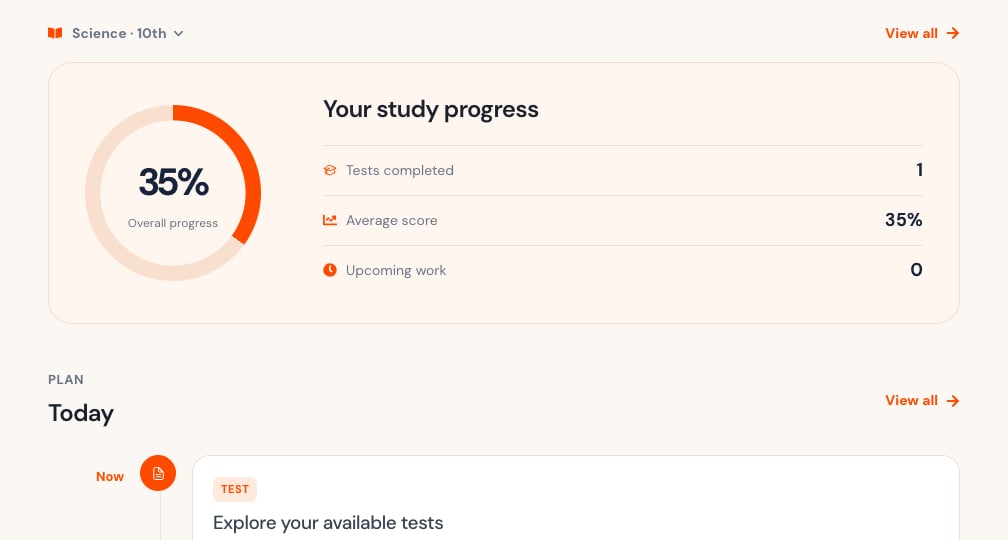
Use **Choose a subject** to select the class and subject context. The selector can show both, such as **Science · 10th**. Select **View all** to return to the wider view when that action is available.
## Read your progress
The progress panel summarizes:
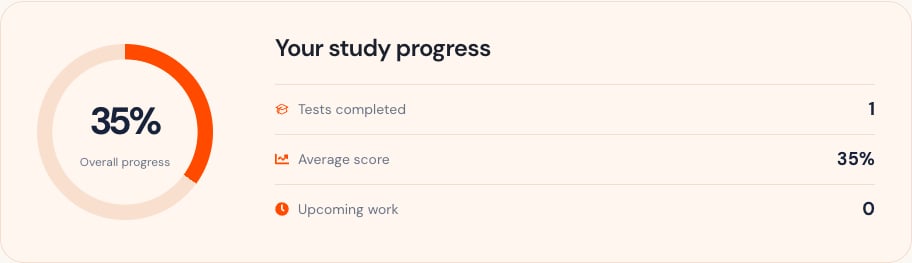
* Overall progress percentage.
* Tests completed.
* Average score.
* Upcoming tests and homework.
A zero value can mean that no graded or published work is available for the selected subject. It does not necessarily mean the feature is unavailable.
## Choose a subject
Use **Choose a subject** to select the class and subject context. The selector can show both, such as **Science · 10th**. Select **View all** to return to the wider view when that action is available.
## Read your progress
The progress panel summarizes:
* Overall progress percentage.
* Tests completed.
* Average score.
* Upcoming tests and homework.
A zero value can mean that no graded or published work is available for the selected subject. It does not necessarily mean the feature is unavailable.
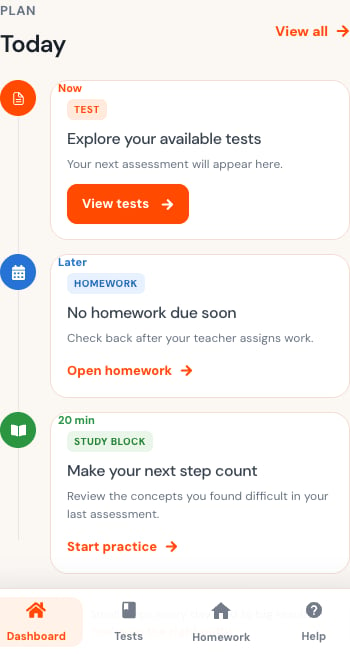
 ## Use the Today timeline
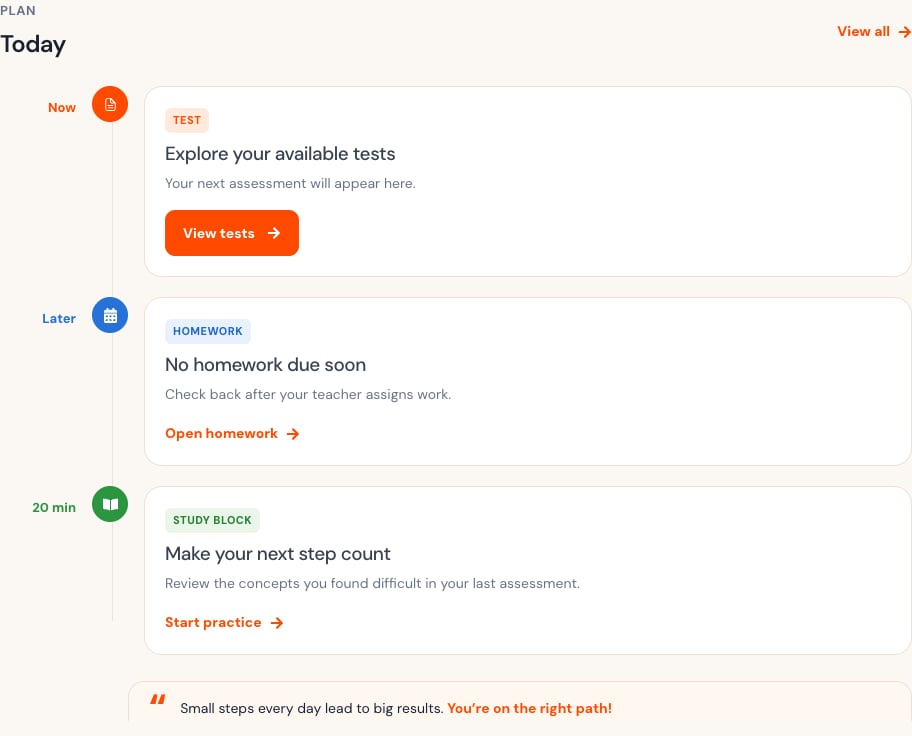
The timeline prioritizes:
1. The next test.
2. Upcoming homework.
3. A short study action based on current performance.
Each card contains a direct action such as **View tests**, **Open homework**, or **Start practice**. Select **View all** to open the wider list.
## Use the Today timeline
The timeline prioritizes:
1. The next test.
2. Upcoming homework.
3. A short study action based on current performance.
Each card contains a direct action such as **View tests**, **Open homework**, or **Start practice**. Select **View all** to open the wider list.
 ## Use the dashboard on a phone
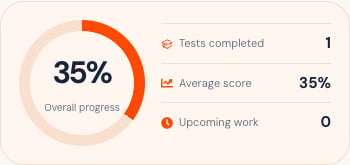
The mobile layout stacks progress and Today cards vertically. Use the bottom navigation for **Dashboard**, **Tests**, **Homework**, and **Help**. The menu button at the top opens the full navigation and account menu.
## Use the dashboard on a phone
The mobile layout stacks progress and Today cards vertically. Use the bottom navigation for **Dashboard**, **Tests**, **Homework**, and **Help**. The menu button at the top opens the full navigation and account menu.
 If the dashboard cannot refresh, your previous submissions remain safe. Check your connection, then select **Try again**.
## Related topics
- [Dashboard Overview](/teacher-guide/dashboard-overview/overview.md)
- [Class Overview & Analytics](/teacher-guide/dashboard-overview/class-overview-and-analytics.md)
- [Teacher Overview Table](/admin-tour-guide/dashboard-overview/overview-tables/teacher-overview-table.md)
- [Student Overview Table](/admin-tour-guide/dashboard-overview/overview-tables/student-overview-table.md)
If the dashboard cannot refresh, your previous submissions remain safe. Check your connection, then select **Try again**.
## Related topics
- [Dashboard Overview](/teacher-guide/dashboard-overview/overview.md)
- [Class Overview & Analytics](/teacher-guide/dashboard-overview/class-overview-and-analytics.md)
- [Teacher Overview Table](/admin-tour-guide/dashboard-overview/overview-tables/teacher-overview-table.md)
- [Student Overview Table](/admin-tour-guide/dashboard-overview/overview-tables/student-overview-table.md)