
Quick-reference handouts
Share these guides by email, messaging apps, a learning platform, or print. Each one has short steps and a link to the full guide.- PNG is best for phones, email, and printing. Each file is 2400 × 3200 pixels.
- SVG stays clear at any size and can be edited in design software.
These handouts do not contain usernames, passwords, student records, or school-specific information.
Getting started
Use this handout for mixed audiences or include it in a general onboarding message.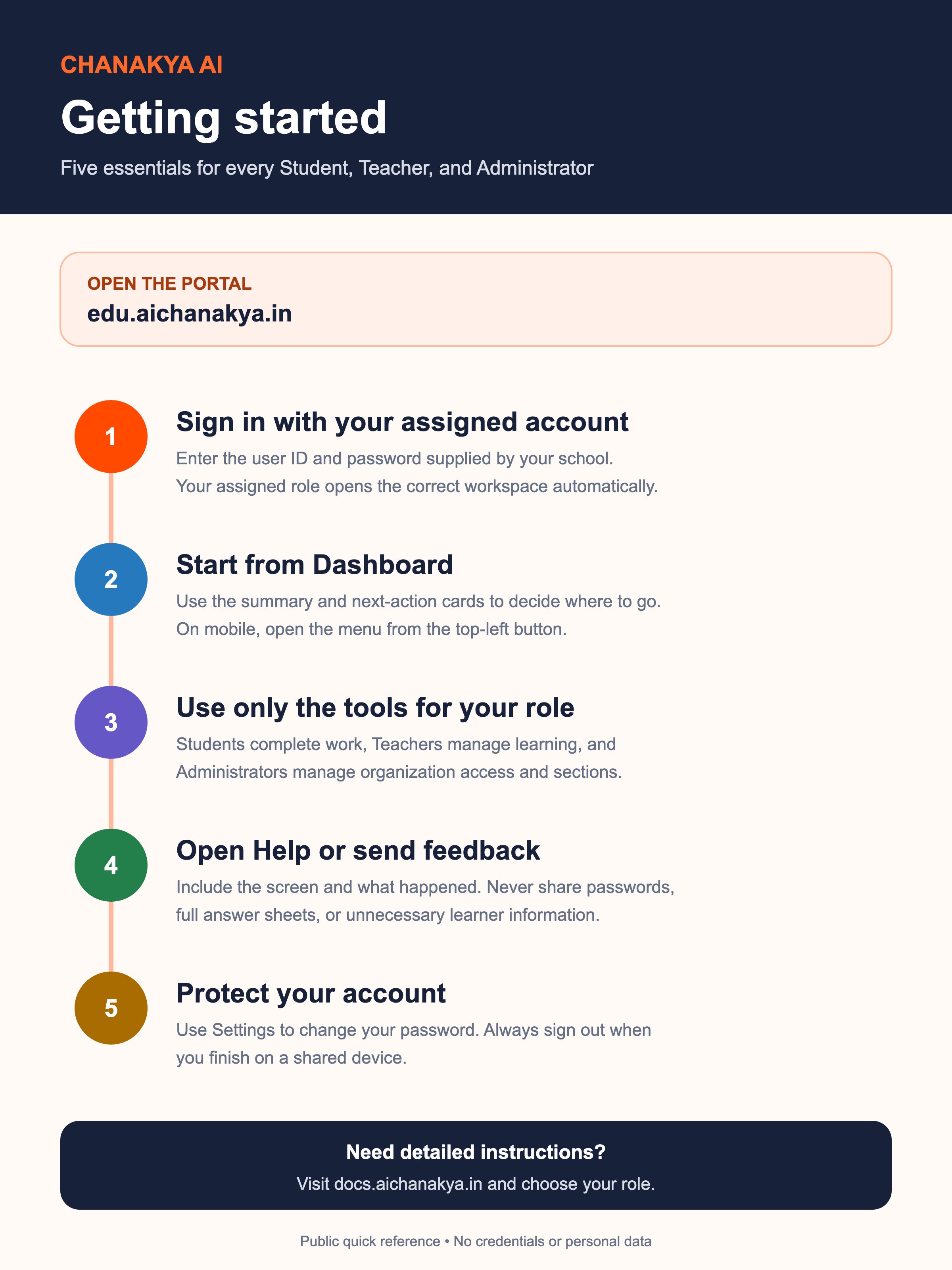
Download PNG
Ready to share on a phone, by email, or in print.
Download editable SVG
A scalable source file for approved design changes.
Student quick start
Shows students how to find assigned work, review every response, submit safely, and learn from results their teacher has shared.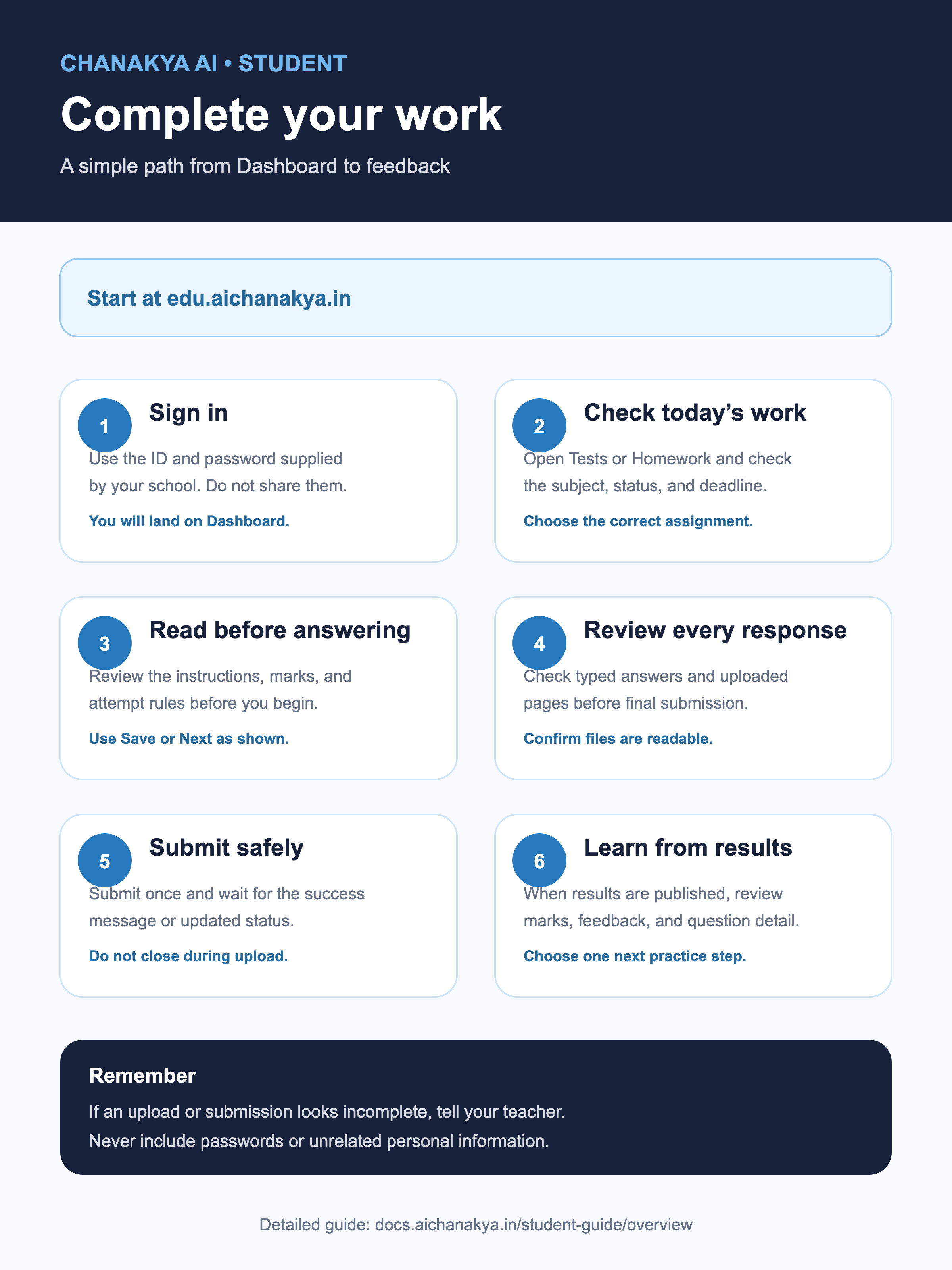
Download student PNG
Share with students and families.
Download student SVG
Editable, scalable source file.
Teacher quick start
Shows teachers how to choose a class, create work, check it, share results, and plan the next lesson.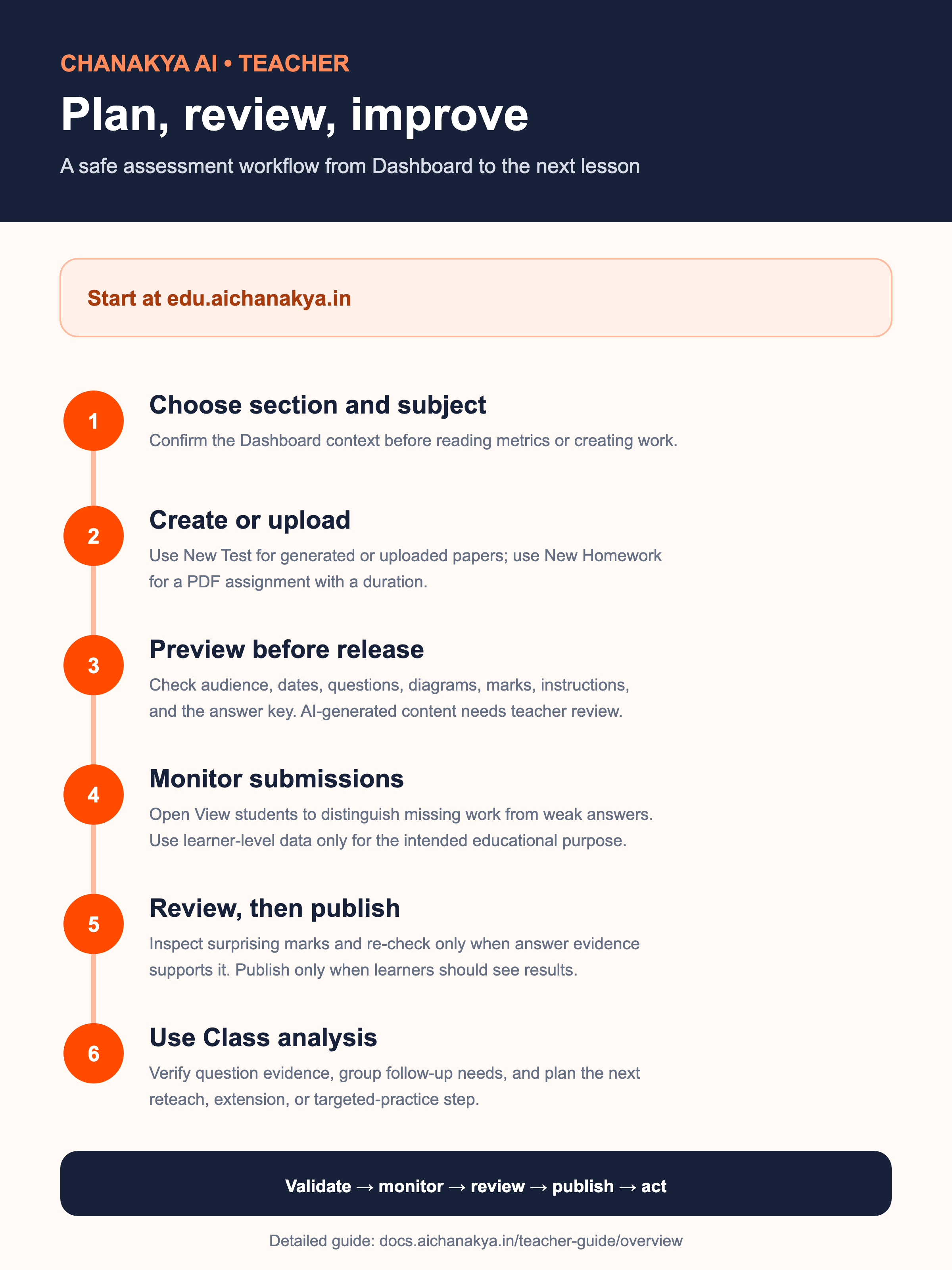
Download teacher PNG
Share during teacher onboarding or training.
Download teacher SVG
Editable, scalable source file.
Administrator quick start
Reminds administrators to check the account and available space, make one careful change, and check the result.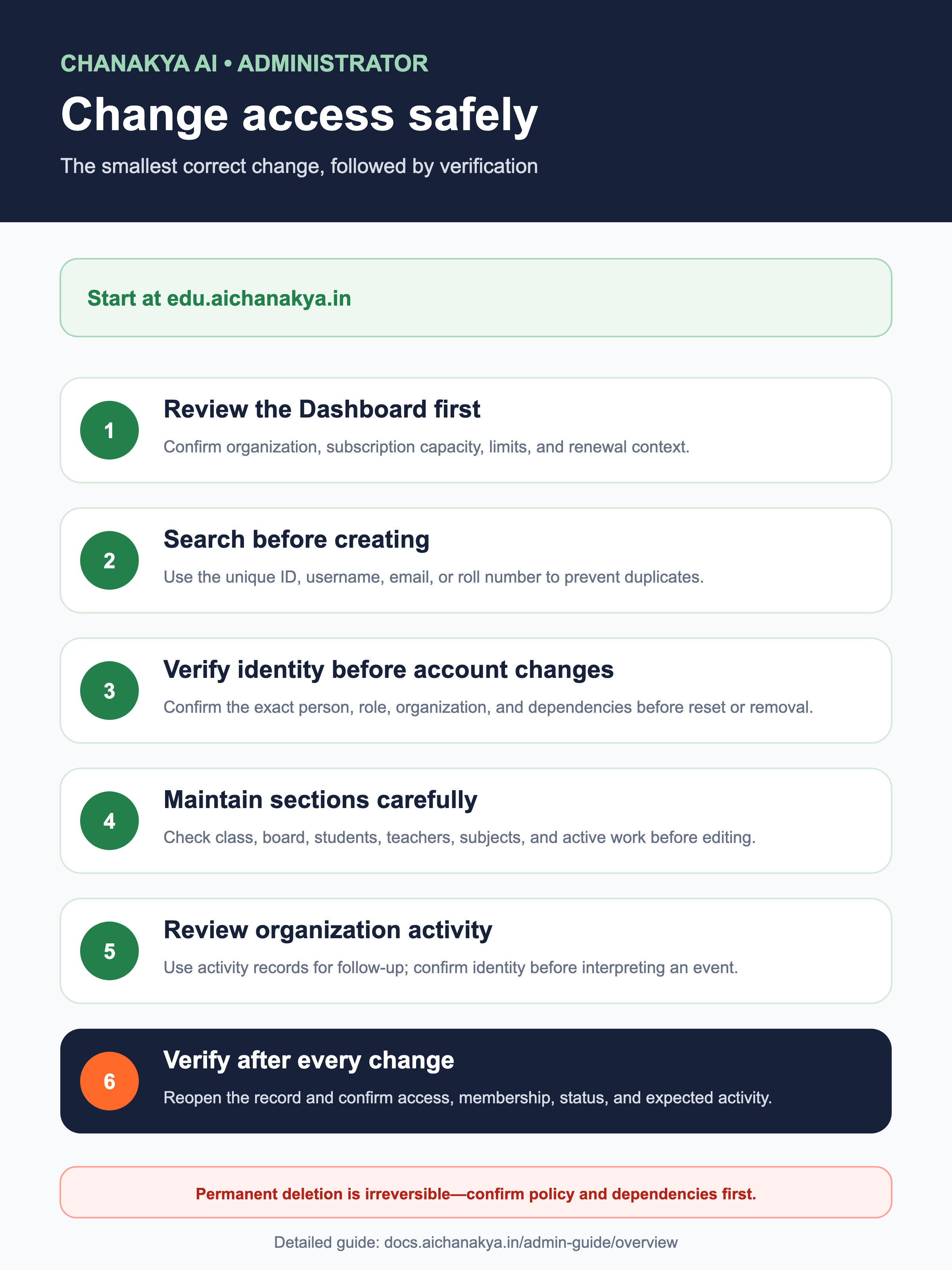
Download administrator PNG
Share with your school’s authorized administrators.
Download administrator SVG
Editable, scalable source file.