
Manage your Student account
Open the account menu from your name or the mobile menu, then select Settings. The page separates Profile and Security.Profile
Profile shows details from your school, such as your name, class, and date of birth. Tell your teacher or administrator if a locked detail is wrong.Security
Use Security to change your password or sign out.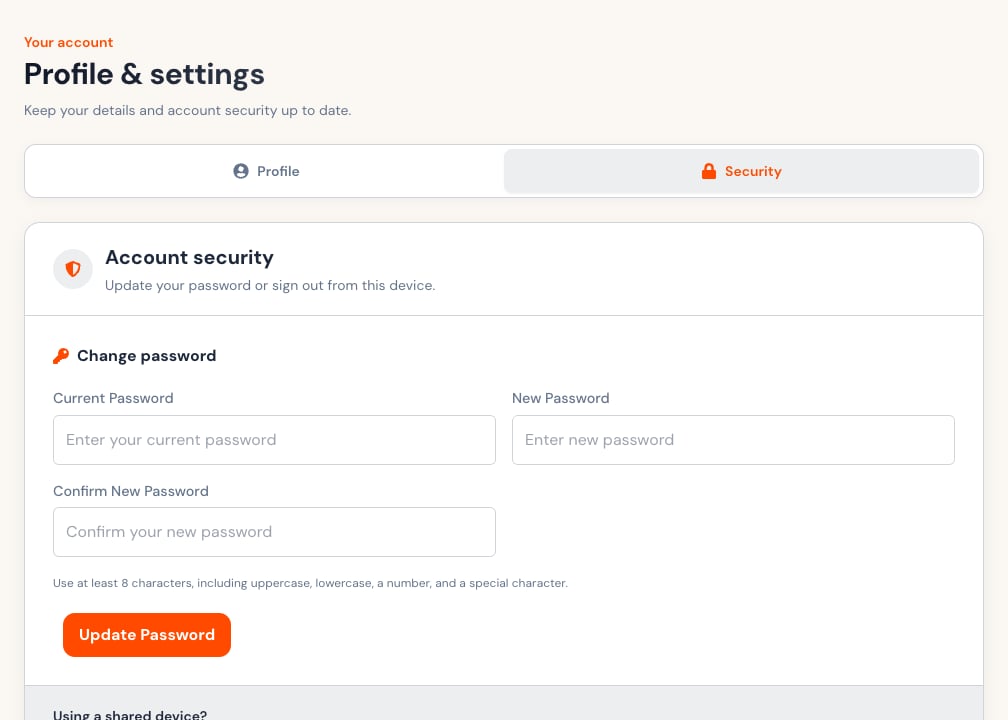
- Enter the current password.
- Enter a new password with at least eight characters.
- Include uppercase, lowercase, a number, and a special character.
- Confirm the new password.
- Select Update Password once.
Shared devices
- Sign out when you finish.
- Do not let the browser save the password on a shared device.
- Close the browser after signing out.
- Change the password immediately if someone else may know it.
- Tell your teacher or administrator if you cannot regain access.