
License management
Select the active plan to review what is in use. Fixed limits show used and total values. Unlimited resources show use without a maximum.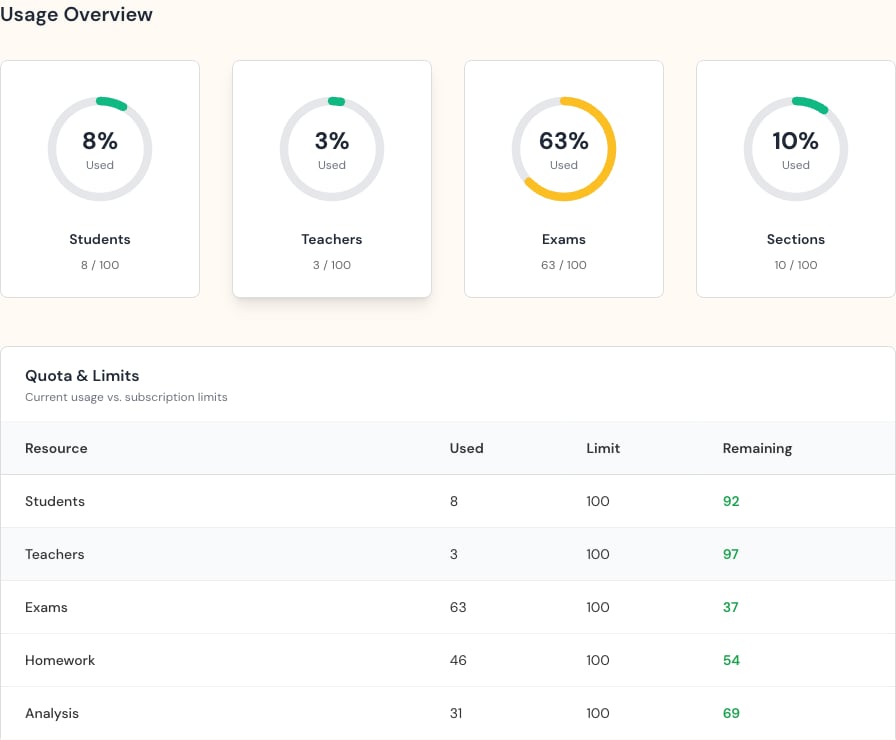
Before adding accounts
- Confirm the correct plan.
- Check how many student and teacher accounts remain.
- Review the renewal date or warning.
- Remove or correct duplicate accounts before requesting more capacity.
Read the plan table
- Used is how much is in use now.
- Limit is the plan maximum.
- Remaining is the space still available.
- A zero limit can mean the plan does not include that resource. Check with your plan contact before assuming it is unlimited.