Admin dashboard
The dashboard shows school totals and plan information. Check the selected plan and its dates before using any count or limit.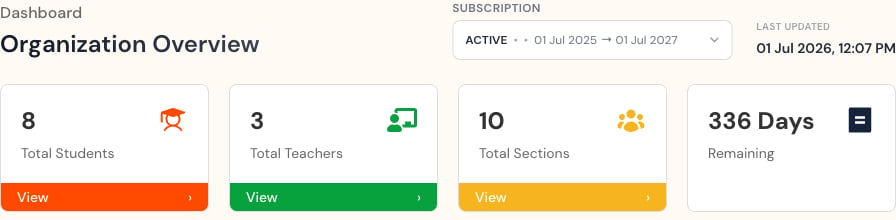
- Total students.
- Total teachers.
- Total sections.
- Plan information.
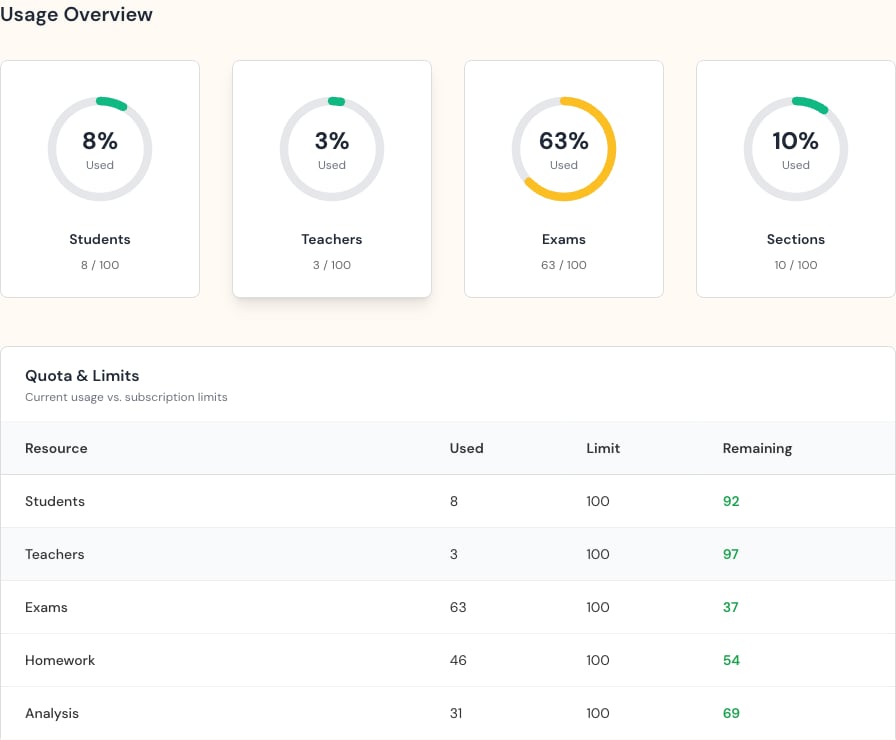
- How much of each available resource is in use.
- Renewal status for active subscriptions.
“Unlimited” means there is no fixed maximum. For fixed limits, compare used accounts with the total before creating new ones.
Read the page in order
- Confirm the plan status and date range.
- Check when the data was last updated.
- Review Student, Teacher, and Section totals.
- Note how long the plan remains active.
- Compare used accounts with the limit.