
Submit your answers
Use the question controls to move through the paper. Depending on the question, you may type an answer, choose an option, or upload handwritten work.
Review the paper
The top of the paper shows the title, class, subject, time, and total marks. Read the instructions and check how many questions you must answer in each section.


Save work as you go
Move between questions using the controls in the paper. Use saved or completion signs to find unfinished work. Do not refresh while uploading or submitting.Upload handwritten work
- Use bright, even lighting.
- Keep the entire answer inside the image.
- Avoid blur, shadows, and rotated pages.
- Upload pages in the intended order.
- Reopen the preview to confirm the image is readable.
- Use the file type requested by the dialog. A test can request a single PDF; homework can allow one PDF or multiple images.
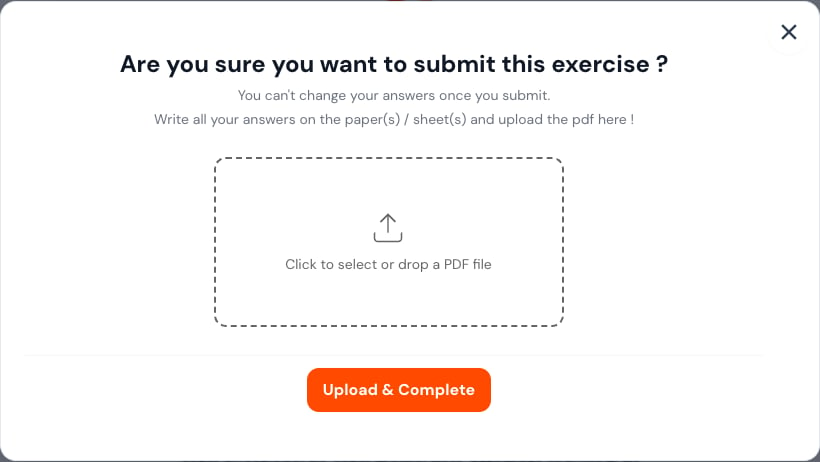
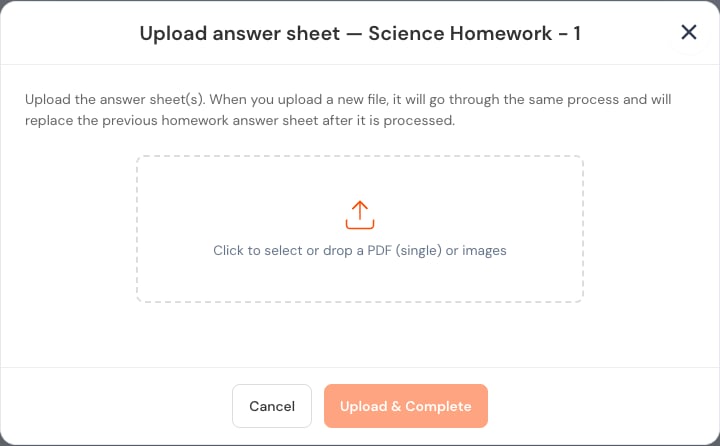
Final review
Before selecting the final submit action:- Visit every question.
- Check that required responses are present.
- Verify selected options.
- Open each uploaded image.
- Confirm the deadline has not passed.
- Submit once and wait for the confirmation screen.
After submission
Check that the work shows Submitted or Completed. The result may appear later, after marking and teacher review.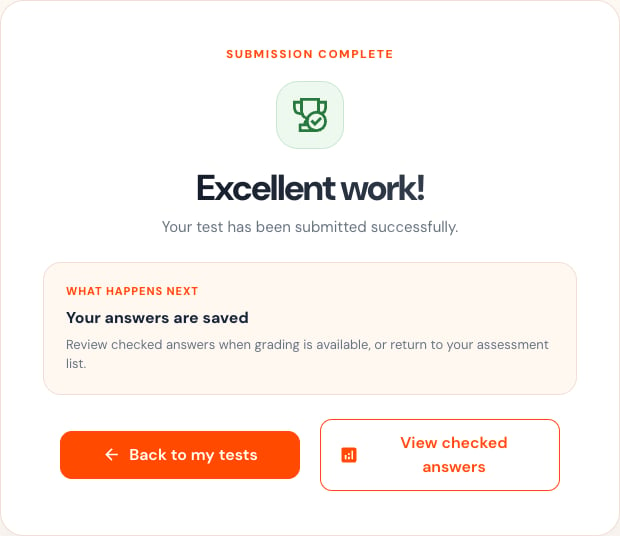
- Keep the tab open.
- Wait briefly for the confirmation.
- Check your connection.
- Open the activity list in a separate step only after the request finishes.
- Contact your teacher if the status remains uncertain.