
Use AI recommendations
Suggestions can recommend topics, question types, or study actions from your results.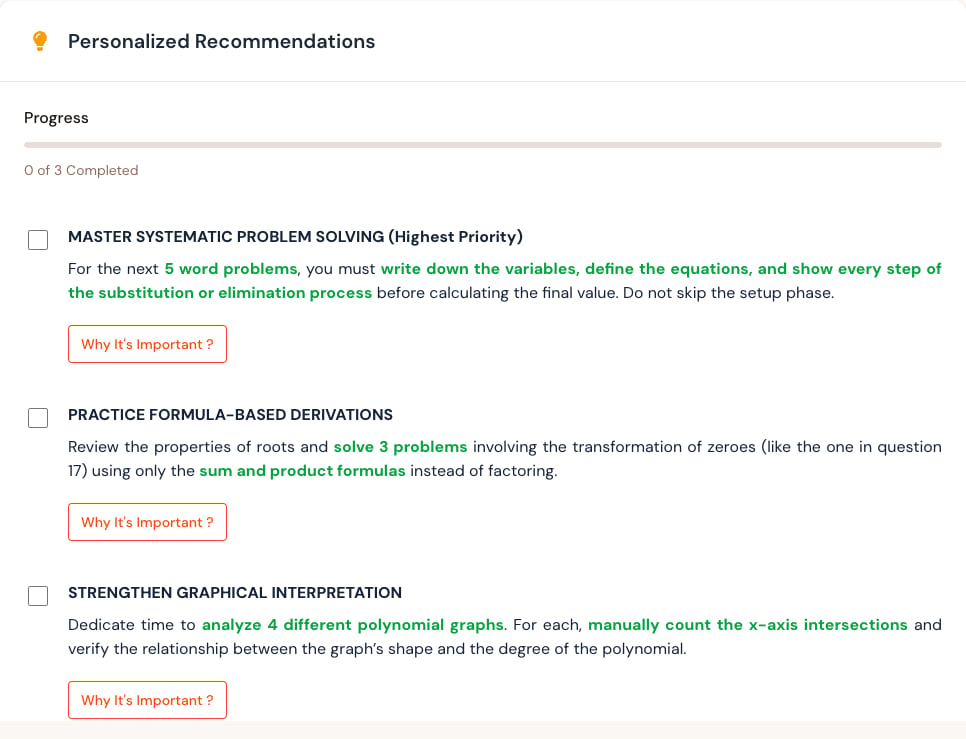
Recommended approach
- Read the recommendation with the related result open.
- Confirm that the cited weak area appears in your question feedback.
- Choose a small, specific action.
- Complete practice or ask your teacher for help.
- Revisit the recommendation after new graded work.
A useful recommendation is specific
Prefer “practice solving two-step linear equations and show every step” over “improve mathematics.” Turn broad suggestions into a small task that you can complete and check.When a recommendation looks wrong
Open the related result and check the questions behind it. A suggestion can be less useful when only a few tests have been marked or recent work is not ready. Ask your teacher when:- The recommendation conflicts with the current syllabus.
- It references a topic you were not assessed on.
- The shown result does not support the suggestion.
- You need help choosing appropriate practice.