
Review questions and feedback
Open a result your teacher has shared and select Questions. The summary shows full-mark questions, questions to review, and questions you did not attempt.
Read a question card
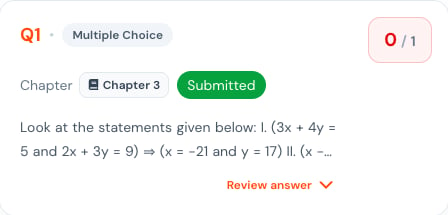
Each card shows:- Question number and type.
- Marks earned and maximum marks.
- Chapter.
- Submission state.
- A short question preview.
Compare the evidence
Read the expanded view in this order:- Question — confirm what was asked.
- Your Answer — verify the response that was graded.
- Correct Answer — compare the expected response.
- Explanation — understand why marks were gained or lost.
- Next Actions — choose one practice step.
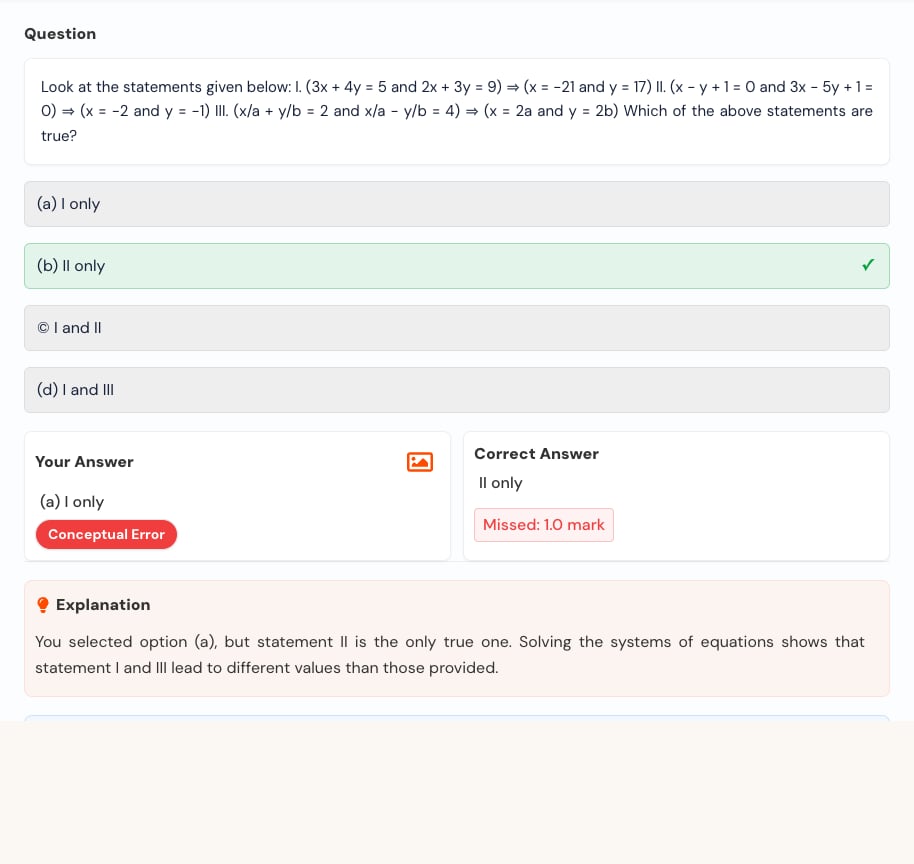
A question you did not attempt can still appear here. There is no answer to compare, but the question and guidance can still help you revise.