
Review a result
A result can show your total score, percentage, marks for each question, feedback, and strong or weak topics.
Read in this order
- Check the total score and assessment details.
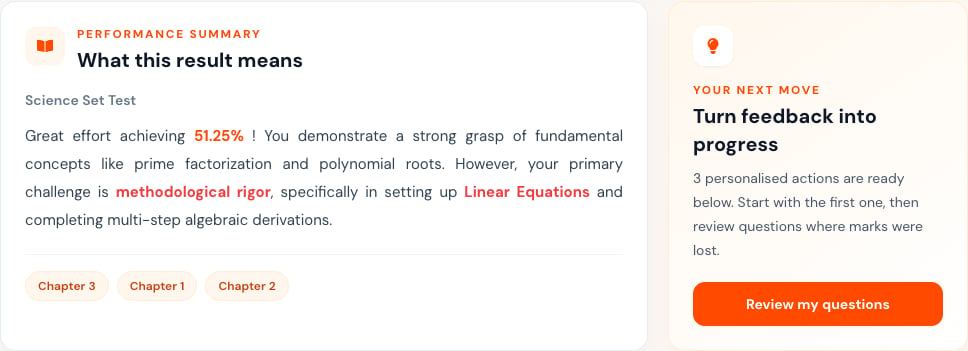
- Read What this result means and the highlighted chapters.
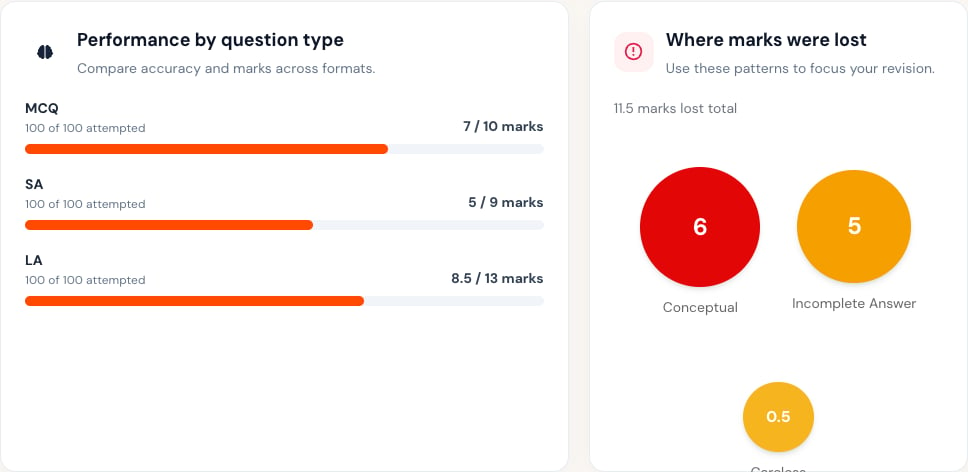
- Review performance by question type and where marks were lost.
- Open Questions to compare your response with the available feedback.
- Use the personalized actions to plan revision.

When to ask for review
Contact your teacher if an uploaded answer is unreadable, the wrong response appears, marks do not match the marking guide, or feedback does not match your work. Give your teacher:- The assessment title.
- The question number.
- The mark or feedback you expected to understand.
- A short explanation of the issue.
Turn feedback into action
Write down one topic to review, one mistake to avoid, and one practice task. Check your next similar result instead of judging progress from one score.Results can stay unavailable until marking is complete and your teacher shares them.