
Create a test
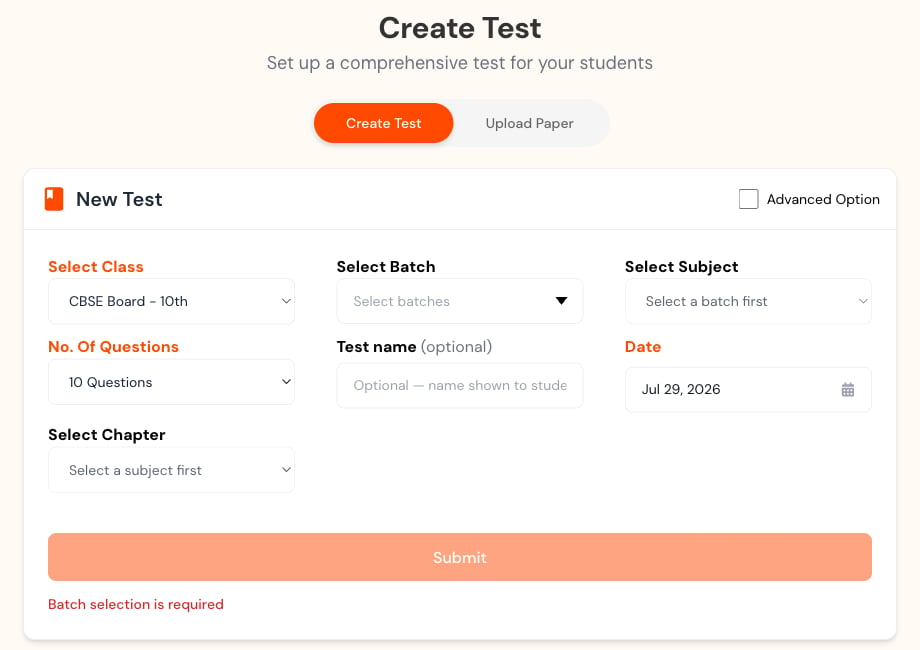
Open Tests, select New Test, and choose a mode.Create Test mode
1
Choose the audience
Select class, section, and subject. Later fields can remain unavailable until the earlier selection is complete.
2
Set up the test
Choose the number of questions, an optional name, date, and chapters.
3
Choose extra options
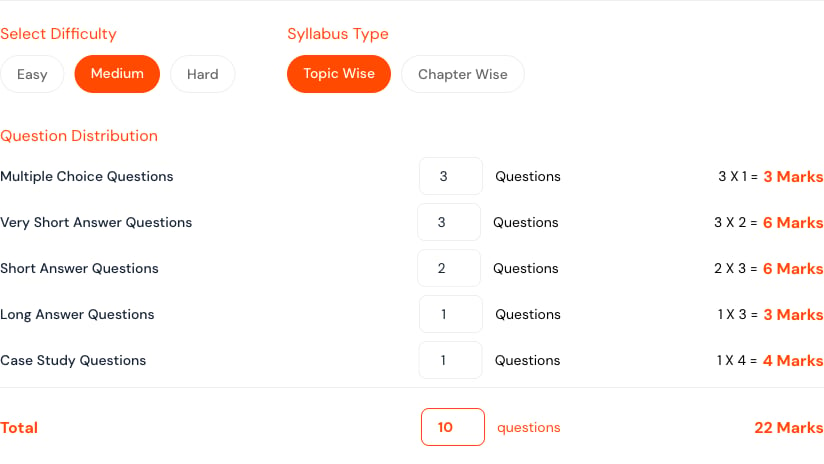
Choose difficulty, topics, and question types when the default mix is not right.
4
Create the test
Select submit once. Creating the test can take time; check its status in Tests.
Upload Paper mode
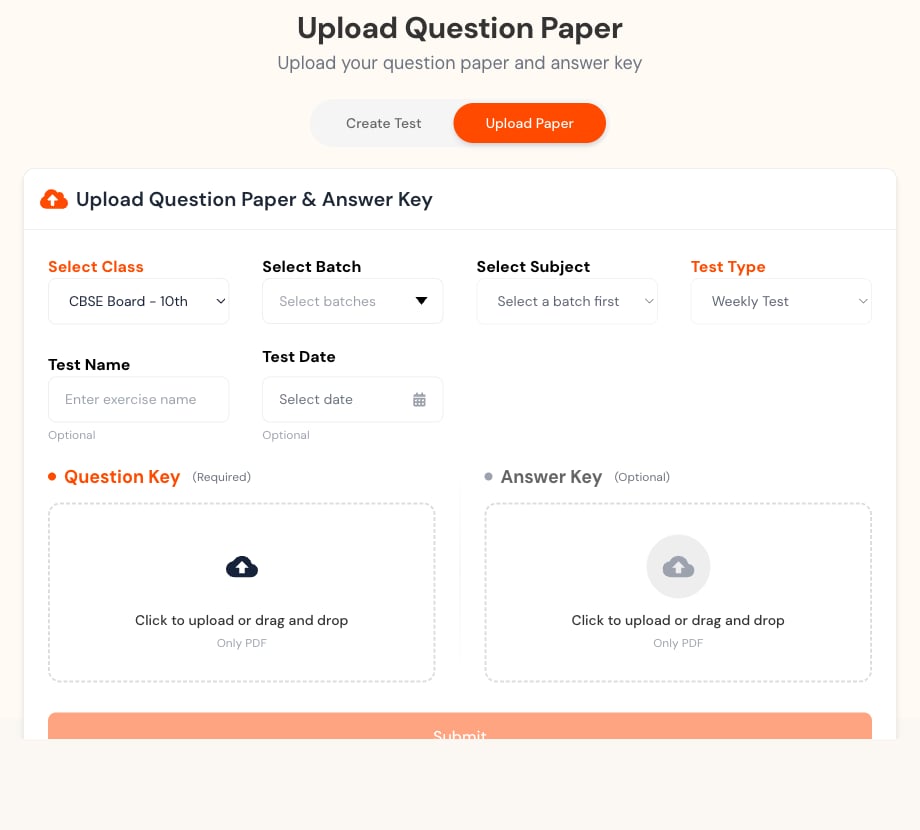
- Upload the Question Key as a PDF.
- Add an Answer Key when available; check the answers before marking.
- Use a clear scan with readable text, upright pages, and complete diagrams.
- Do not upload a learner’s answered paper as the master question key.