
Export options
From Preview
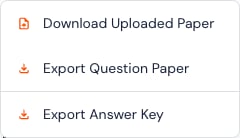
- Download Uploaded Paper retrieves the source paper when one exists.
- Export Question Paper creates a student-safe paper.
- Export Answer Key creates a staff-only answer reference.
From Class analysis
Use Export report to download class results for approved teaching use. Reports can contain private student information.Safe handling
- Verify the file before sharing.
- Keep answer keys out of student-facing folders and messages.
- Share student or class reports only with people allowed to see them.
- Use storage approved by your school.
- Delete unnecessary local copies from shared devices.